
Owner-grade numbers, and exports your CPA can use
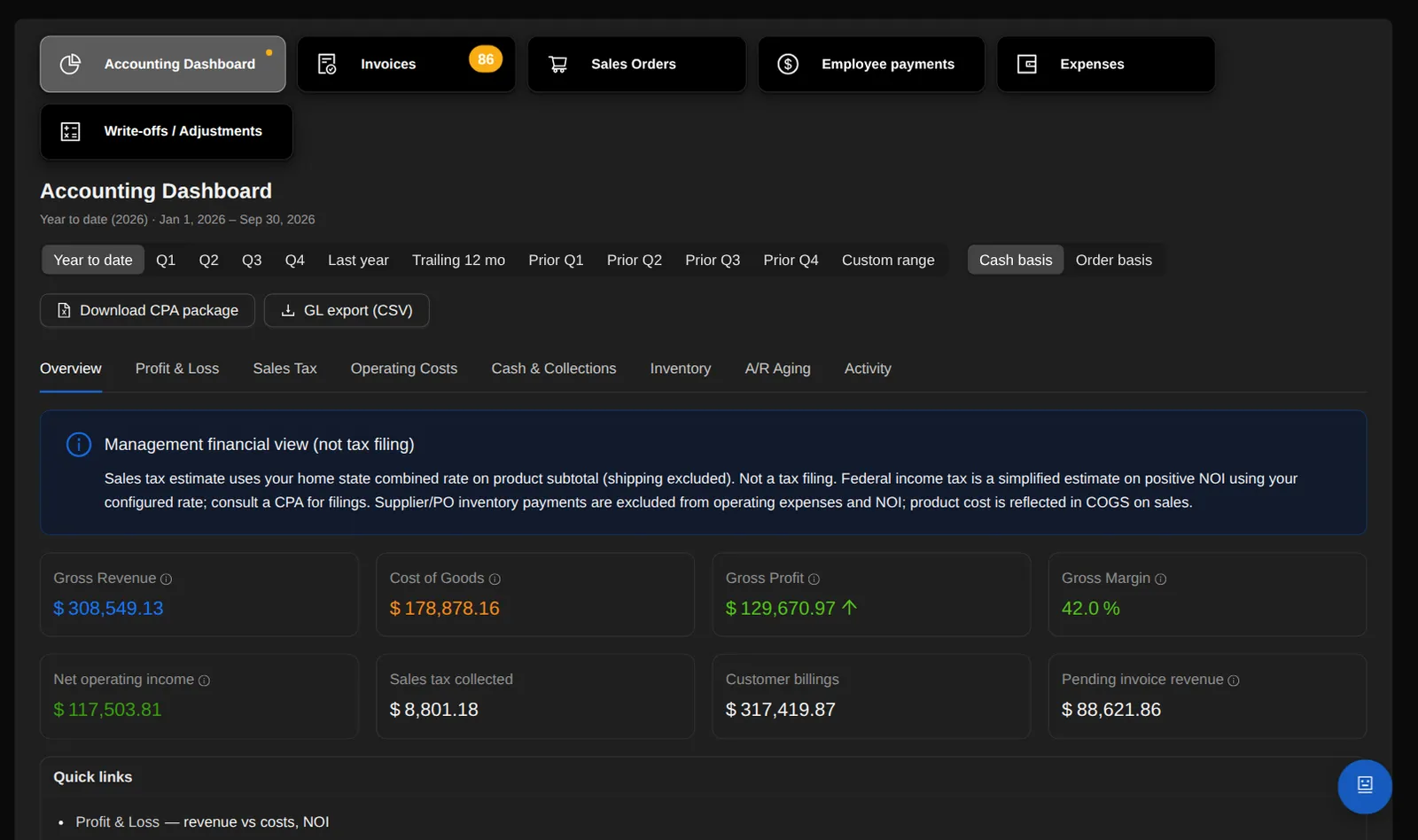
Owner-grade financial reporting on the same data as every sale, purchase and shipment.
Dashboards
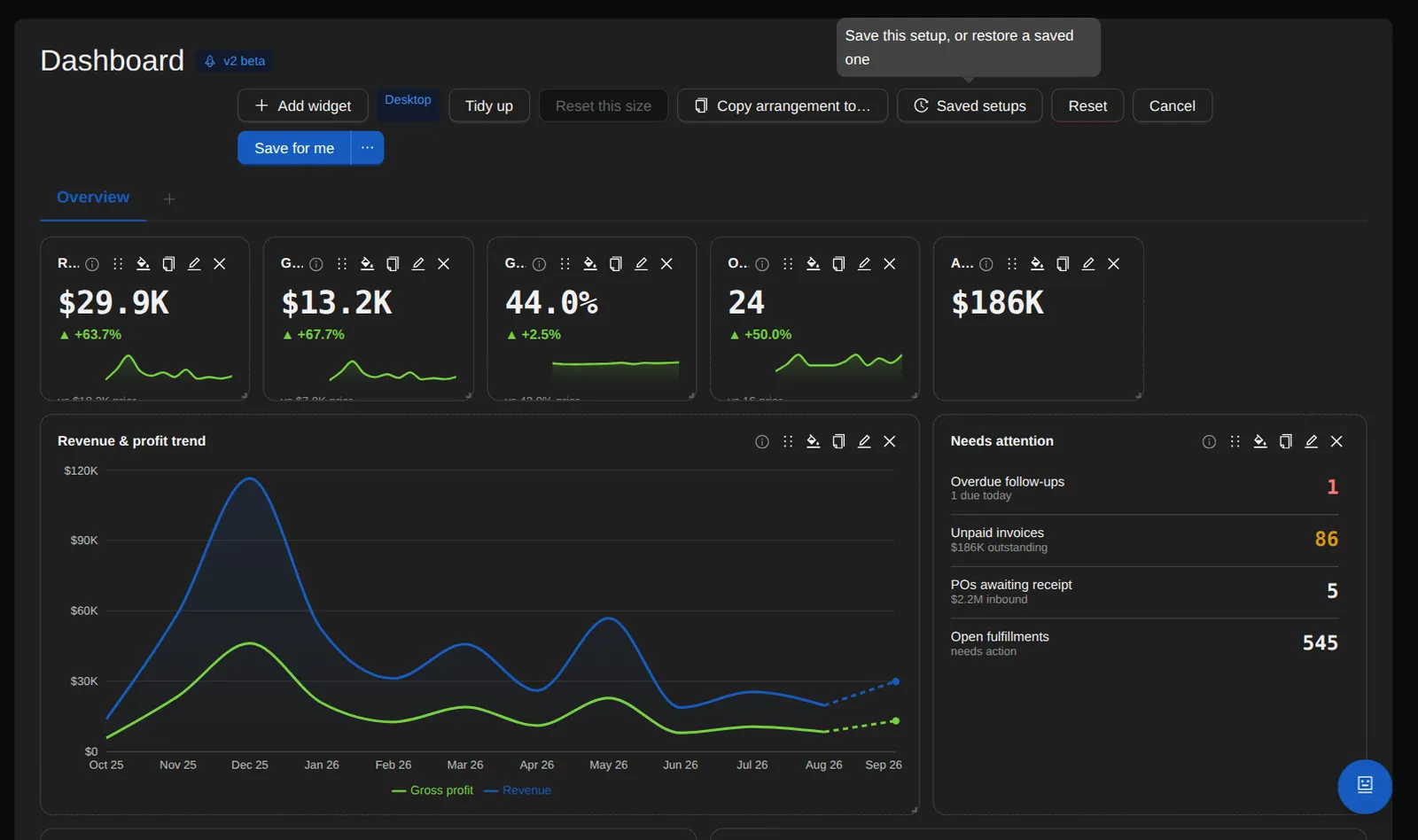
Build your own dashboards: 30+ widget types, custom metrics and dimensions, tabs, themes, cross-filtering and drill-downs.
- Layouts per device, shareable dashboards, and company-default boards.
- Reminders: do something in the app and a note you wrote yourself lands on your dashboard — mark a purchase order sent, and your “make the label sheets” note appears.
- 47 actions across purchase orders, invoices, shipping and local pickup, each with its own switch and an editable sentence that fills in the number, supplier, customer, total or carrier.
- Tick a line and it strikes through but stays; one Clear removes everything ticked. A repeat for the same record folds onto the open note instead of stacking.
Profit and loss
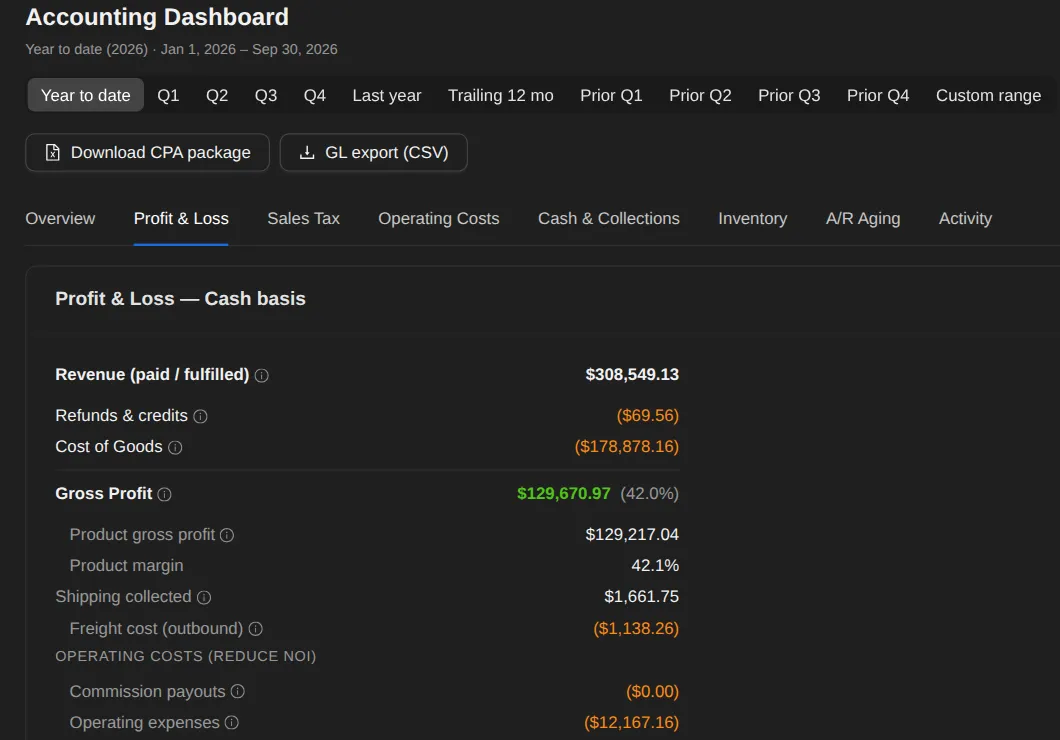
Cost of goods is what you actually paid, lot by lot.
- Profit per customer: revenue, minus the real FIFO cost of what they bought, minus giveaways.
- Vendor credits — money a supplier gives back — reduce operating cost in the P&L for that month and book to the GL as their own journal entry, while inventory cost stays exactly as it was.
- Expense tracking with receipt images.
Reports
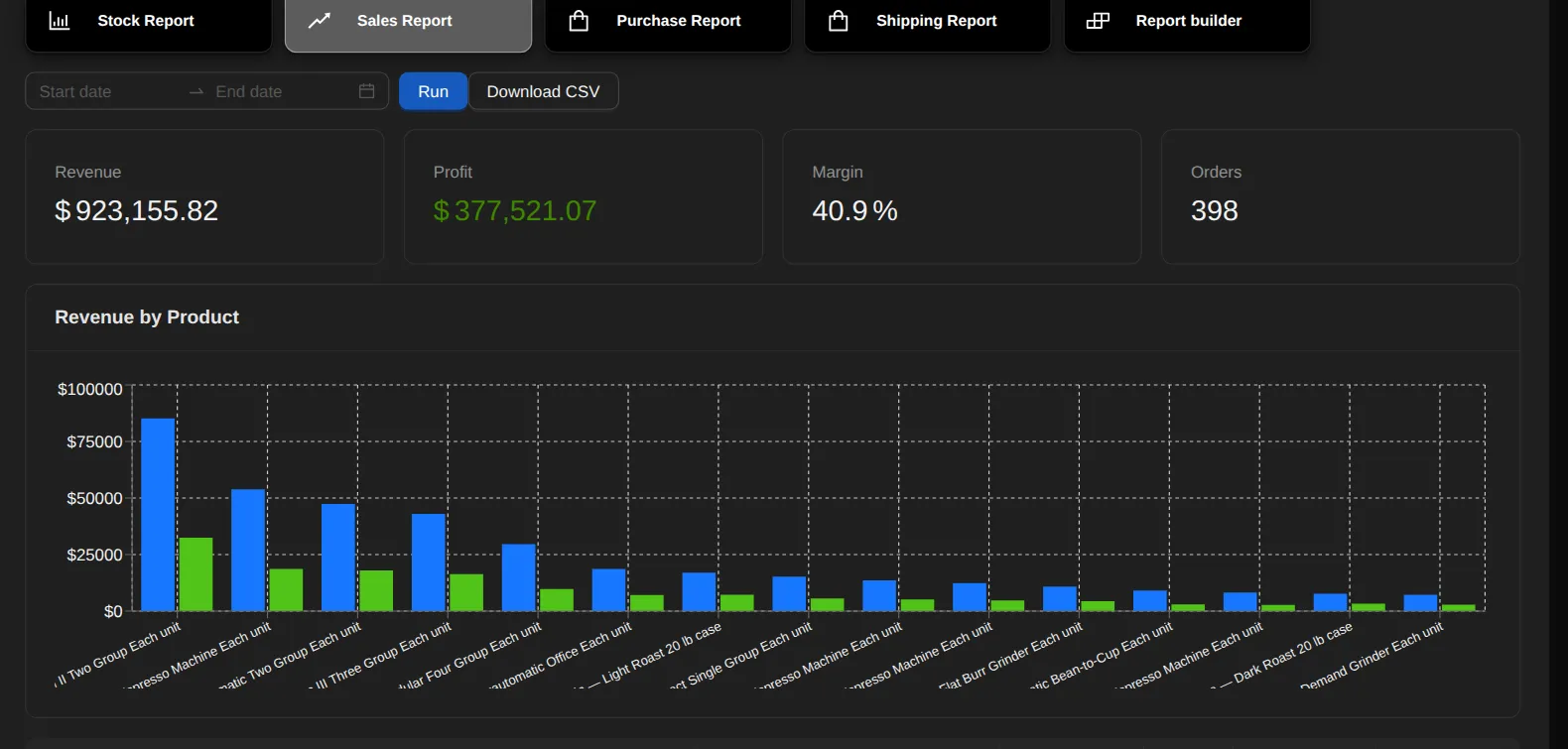
The Sales report: pick a date range and see revenue, profit, margin and order count, a chart of revenue and profit for your top 15 products, and a per-product table — revenue, cost, profit, units, average sell and average cost — sortable and downloadable as CSV.
- It counts paid or fulfilled orders, and cost is the actual FIFO cost of the units shipped (a paid order still awaiting shipment uses the line's cost price).
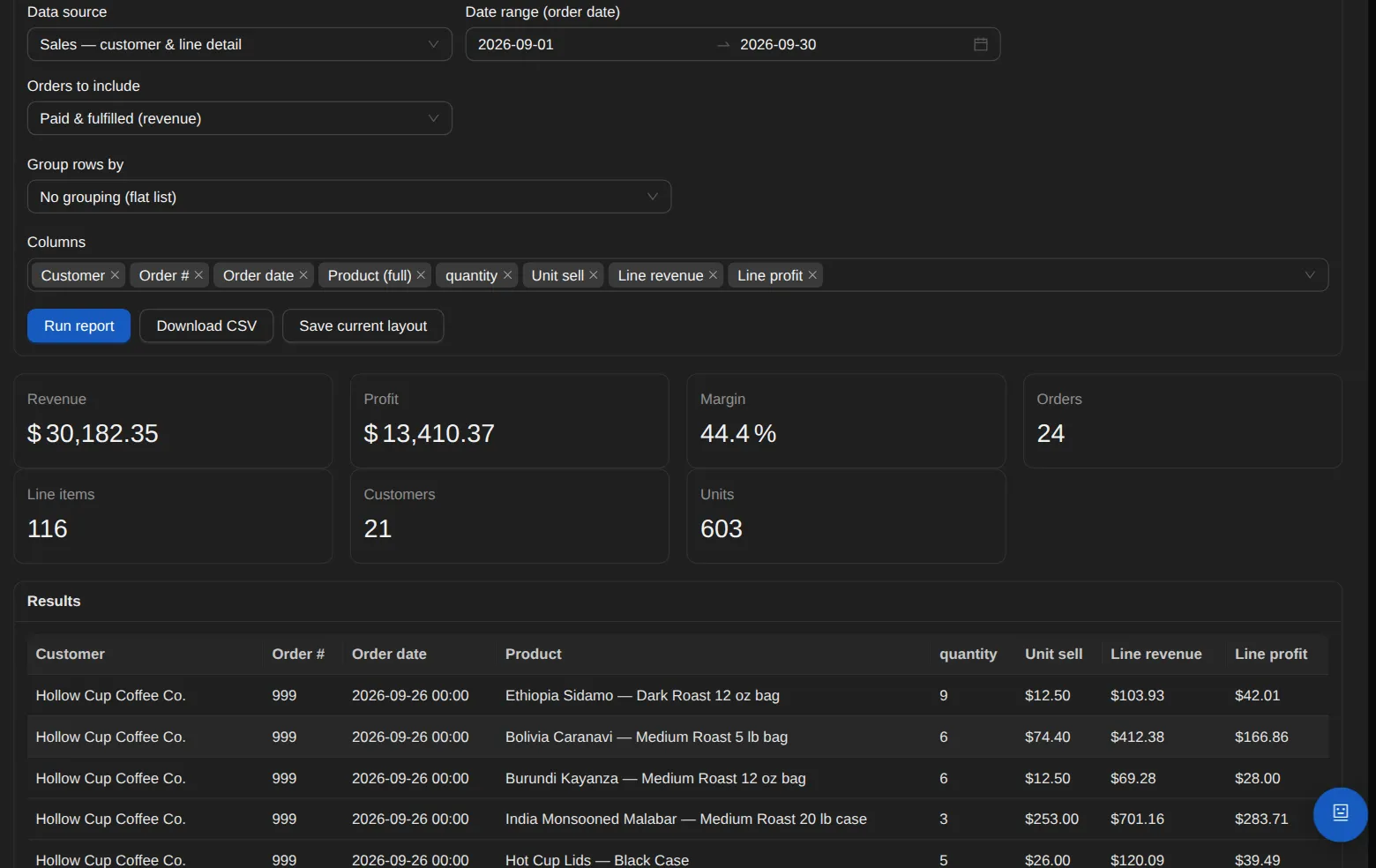
- Build your own report from eight sources: stock, sales by product, sales with customer and line detail, purchases by product, customers, customer profitability including giveaways, cycle counts, and expenses by Schedule C line.
- Pick the columns (the stock source also offers your own product formula columns), set a date range, group line detail by customer or by order, run it on screen and download CSV. Admins can save a layout to run again.
Sales tax
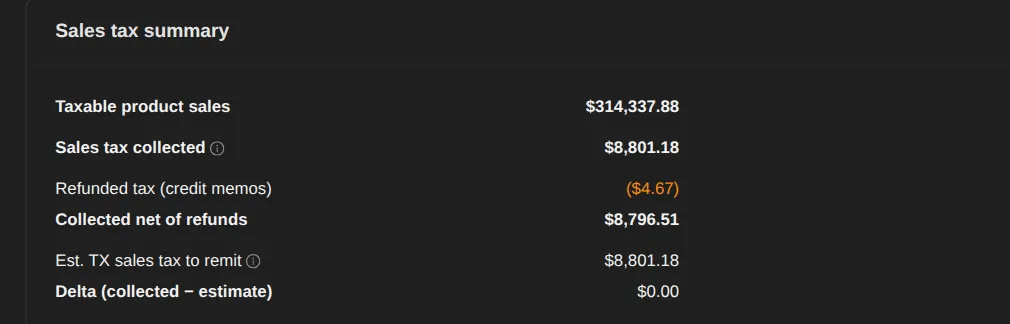
Choose your home state — any US state. It's period-locked once the books are closed, and an admin override is audited.
- Sales tax by the buyer's location, counter-sale rules, and tax-exempt customers by certificate.
- Rates are frozen onto paid invoices, and the filing worksheet nets refunds correctly.
- Hard caps keep every refund within what its sale collected.
Getting paid
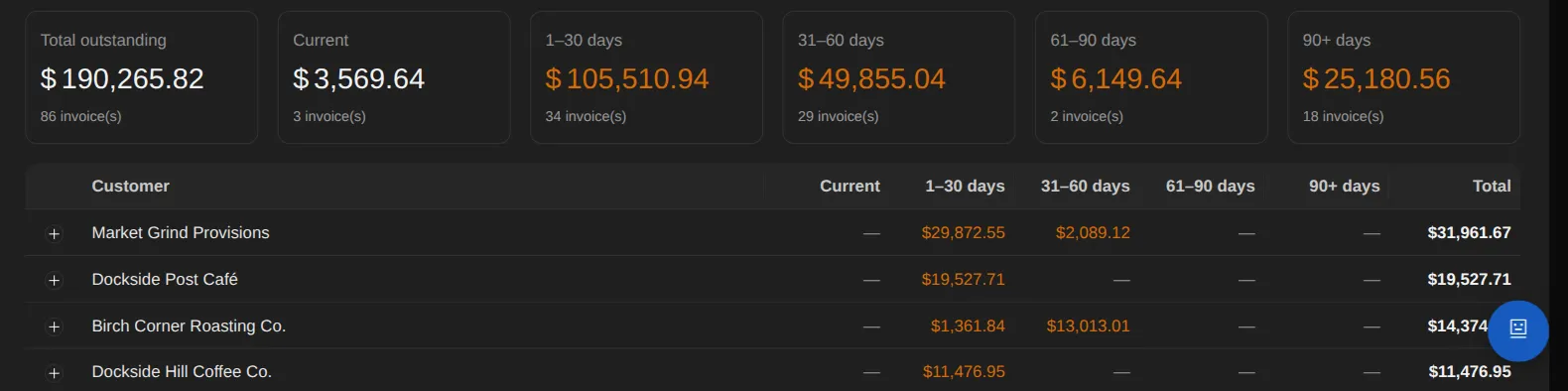
A/R aging shows who owes you and how overdue, with one-click reminder emails.
- HTML invoice, payment and reminder emails.
- Commission tracking for salespeople and affiliates: payouts reconcile against the commissions they settled, and a settled commission can be corrected after the fact — audited and period-locked.
Controls and exports
Credit memos are append-only and auditable, and closed months lock.
- For your CPA: a GL export, and Schedule C and 1099 outputs.
See it on a live screen share.
The person who built OrienOS gives the demo and answers the detailed questions.
Book a demo